
Morphika

Secure memory for personal AI agents.

Claude, Codex and your other agents remember what matters. Changes to shared memory wait for a person to approve them.

How Morphika works, drawn as a building on a pier. Agent terminals connect to the Morphika memory building. An orange path from one agent runs through a phone, where a person approves the change, before it reaches memory. A trail of records along the ground stands for the audit log.How Morphika works, drawn as a building on a pier. Agent terminals connect to the Morphika memory building. An orange path from one agent runs through a phone, where a person approves the change, before it reaches memory. A trail of records along the ground stands for the audit log.

How it works

Simple. Secure. On your terms.

  1. 01

    Connect

    Add Morphika to Claude Code, Codex or Claude Desktop with one command. It signs in through your browser, like any app.

  2. 02

    Work

    Agents read and write memory: notes, decisions, context. Reading never waits, and personal memory saves straight away.

  3. 03

    Approve

    A change to shared memory waits for another member of the workspace. They get a push on their iPhone and decide with Face ID.

What you get

Built for people who build with agents.

  • Memory

    Notes, decisions and context your agents keep, for you alone or for a workspace.

  • Approvals

    Every shared change shows who asked and what it touches, and waits for a person.

  • Workspaces

    Invite people with a one-time code. Your personal memory stays yours.

  • Audit

    A hash-chained log of every call that you can verify from the dashboard.

Easy to use. Ready for an audit.

Easy to use

One command connects an agent. You sign in through your browser, so there are no keys to copy or paste.

claude mcp add --transport http morphika https://mcp.morphika.ai/mcp --scope user
  • Works in Claude Code, Codex and Claude Desktop
  • Personal memory saves straight away, no approval needed
  • Approve your teammates' changes from your iPhone
Compliance-ready

Know who changed what, when, and who allowed it.

  • Every request shows who asked and what it touches
  • Nobody can approve their own request
  • A hash-chained audit log you can verify from the dashboard
  • Delete your account and personal memory yourself, from the app or the dashboard

Secure by design

Built on the standards your security team already expects.

  • OAuth 2.1 sign-in with PKCE
  • Each connection is limited to one scope: full access, read-only, or a single workspace
  • Revoke any connected agent from the dashboard
  • Notifications carry ids only. Details load after you unlock, and approving needs Face ID

Your iPhone is the approve button.

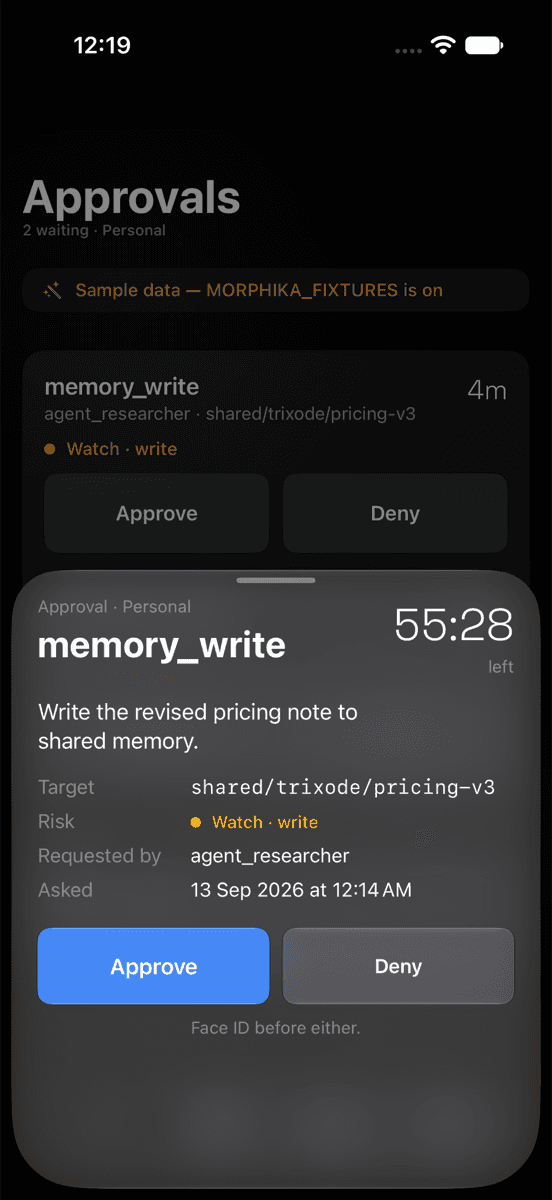
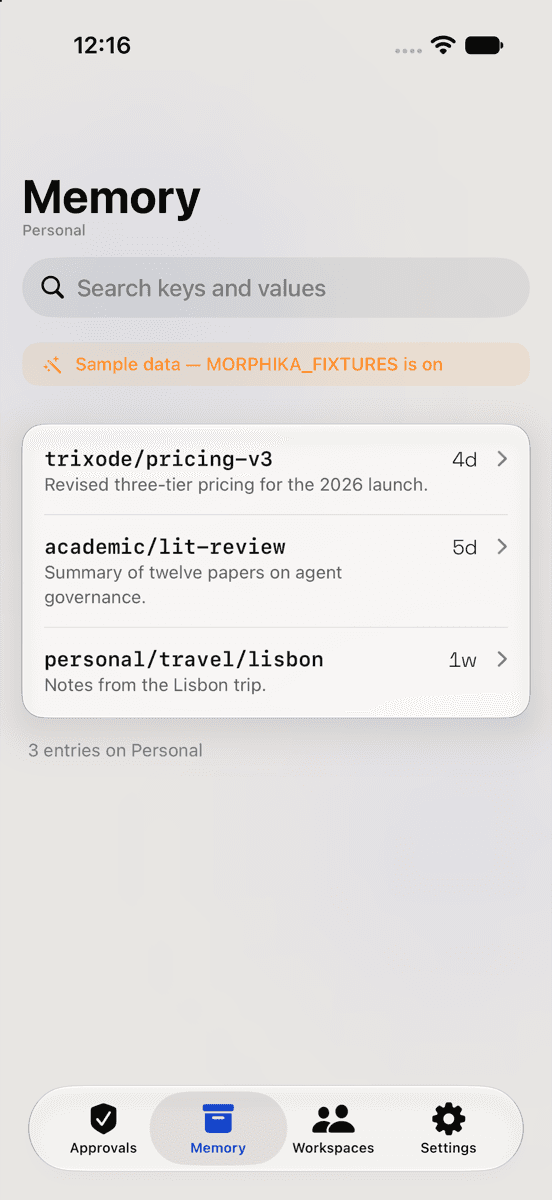
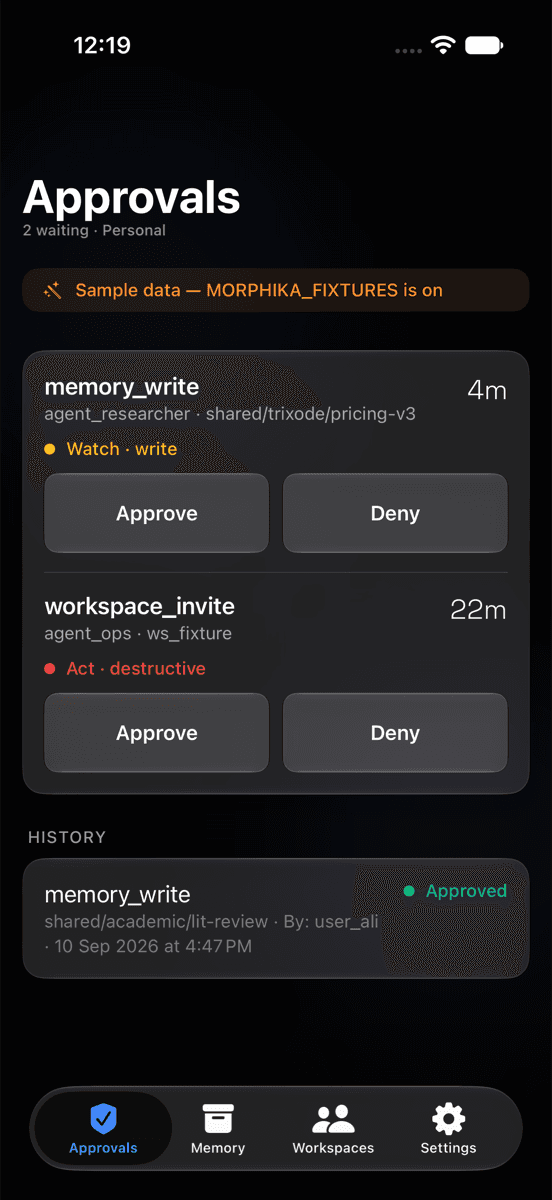
When an agent asks to change shared memory, the other people in the workspace get a notification. Read what it wants to do, then approve or deny with Face ID.

The Morphika iPhone app showing the Approvals list, with sample data labelled on screen.
The Morphika iPhone app showing one approval in detail, with the requester, the target and a risk band.
The Morphika iPhone app showing the Memory list in light appearance, with sample data labelled on screen.

Morphika for iPhone, iOS 27. Screens show sample data.

Works with the agents you already use.

Morphika connects through MCP, the open standard Claude and Codex use to reach outside tools. Run one command, sign in once in your browser, and the agent has 23 tools for memory, documents, approvals, the audit log, workspaces and connections.

claude mcp add --transport http morphika https://mcp.morphika.ai/mcp --scope user

For an agent that should only ever read, connect https://mcp.morphika.ai/read/mcp instead (7 tools, no writes).

Bulka, the Morphika mascot: a watercolor corgi wearing a rainbow bead collar with an M tag, standing on the pier.

Your agents ask.You decide.

Request an invite

Morphika is in a private pilot. Ask for an invite and we’ll write back by email. Questions first? Write to support@morphika.ai.